Library
The Library is Reica's asset hub. Every product image, reference photo, and generated output lives here — organised in folders, accessible from anywhere in the platform.
Library layout
The Library uses a split-screen layout: folders and organisation on the left, recent generations on the right.
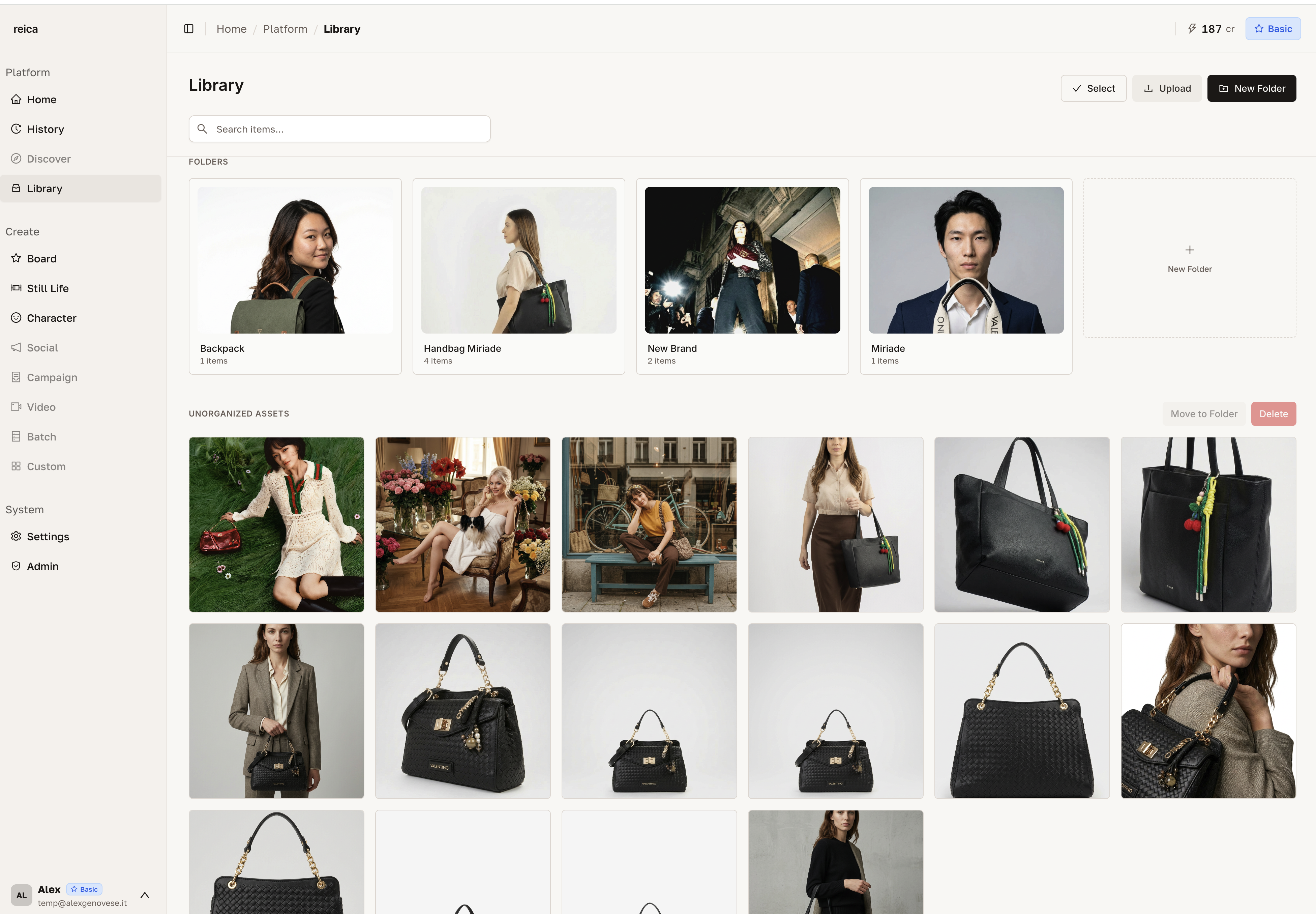
- Left side — your folder tree. Create, rename, and move folders. Drag images between folders.
- Right side — all recent generations, automatically saved here. Scroll to find any output.
Creating folders
Click New Folder to add a folder at any level of your organisation.
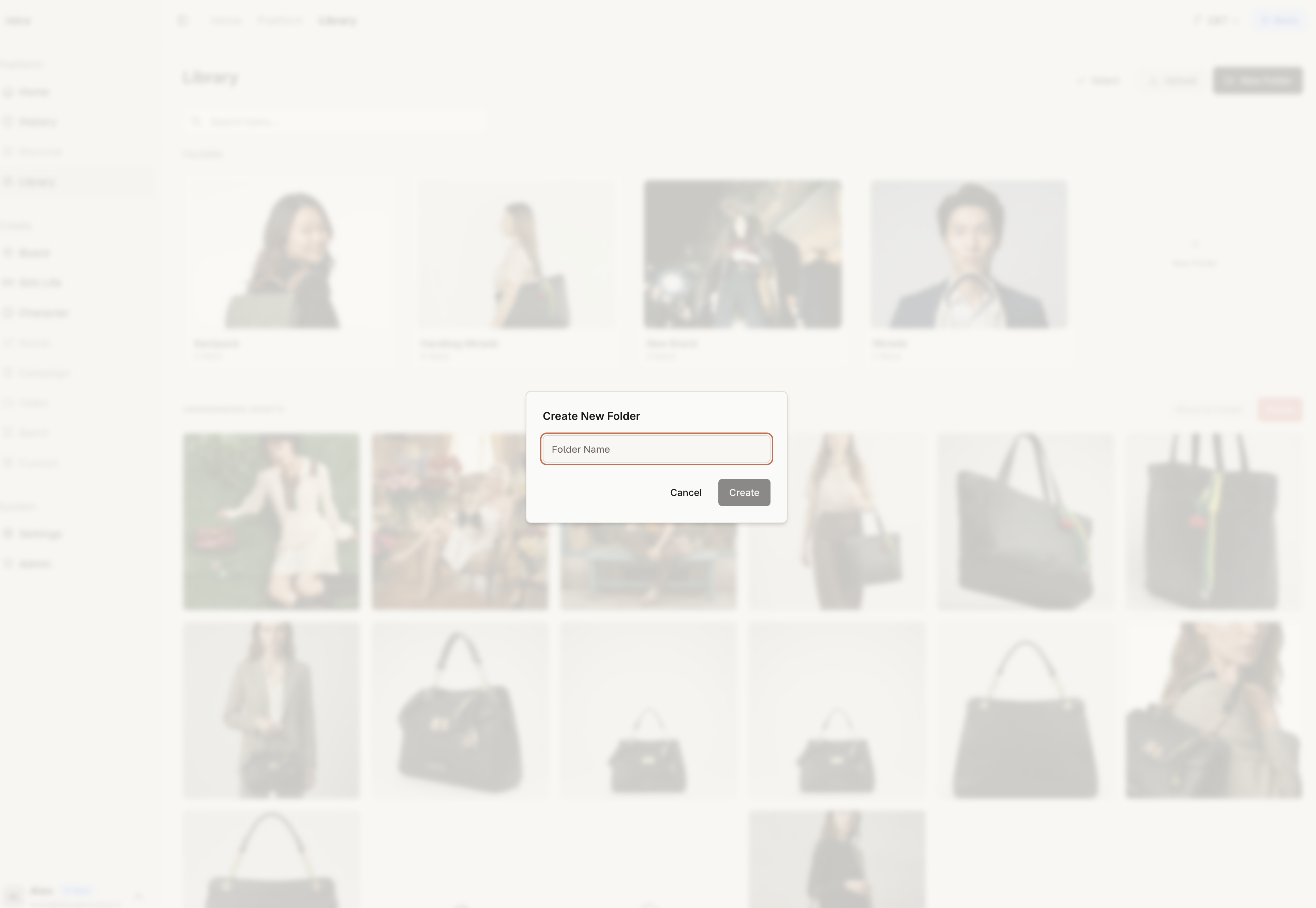
You can create as many nested folders as you need. Suggested structure for most brands:
Library/
├── Products/
│   ├── SS26/
│   └── AW26/
├── References/
│   ├── Models/
│   └── Moods/
└── Campaigns/
    ├── Spring Drop/
    └── Lookbook/
Uploading images
Click Upload to add images to the currently selected folder — or drag and drop directly from your desktop.
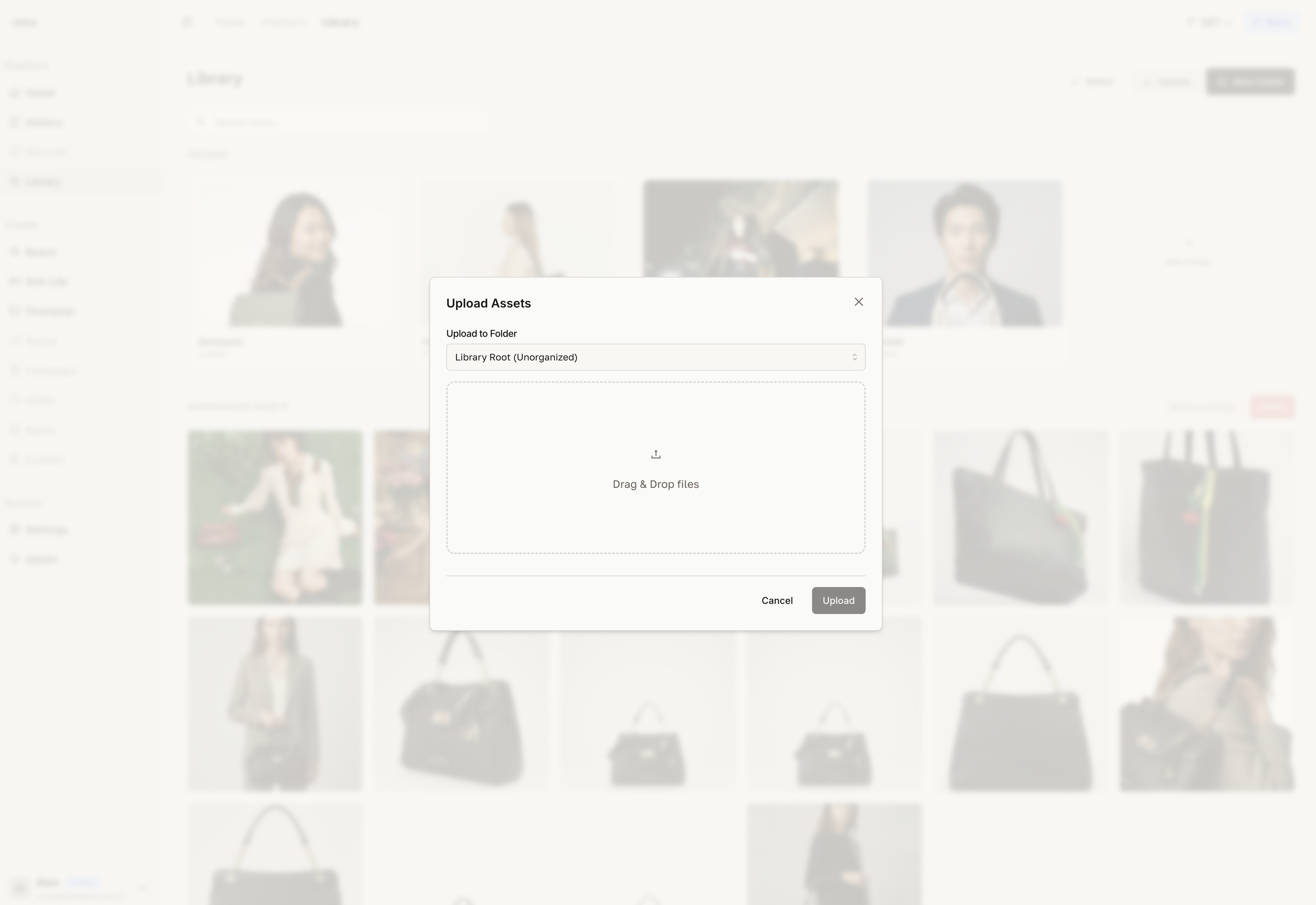
Supported formats: JPEG, PNG, WebP.
No size limit — Reica handles high-resolution files.
Multi-selection
Select multiple images at once by clicking the selection mode button (or using Cmd/Ctrl + click on individual images).
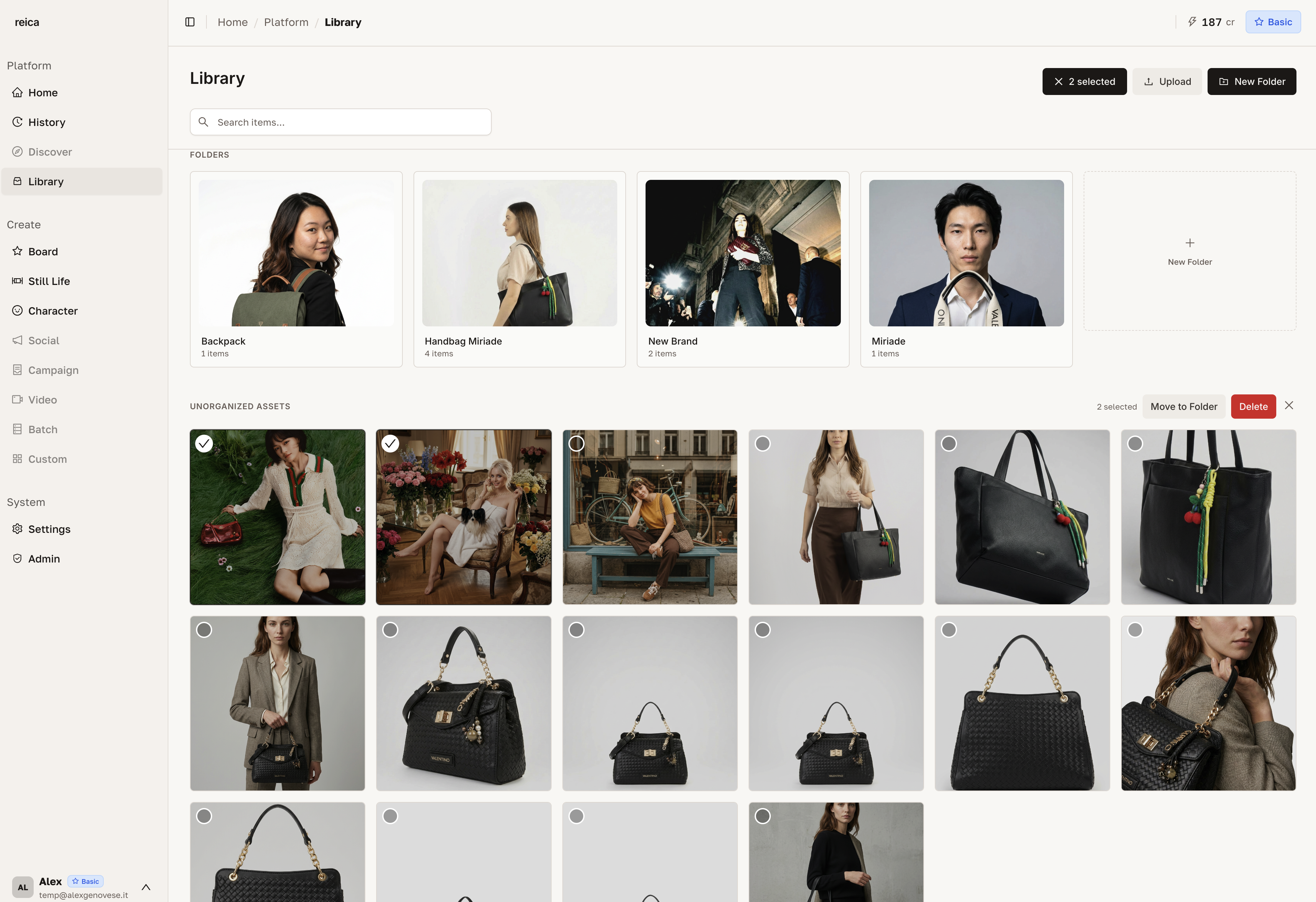
With multiple images selected you can:
- Move to a different folder
- Delete all selected images at once
- Add to Board — drop selected images directly onto a canvas
- Use in Batch — send to a Batch operation
Accessing the Library from other features
You don't have to leave your workflow to use the Library:
- Inside the Board — click the Library icon in the left sidebar to open a panel without leaving the canvas
- Inside Still Life — click "Choose from Library" to pick any uploaded product
- Inside Character — browse saved characters directly
Tips for keeping your Library organised
- Create folders before uploading — it's faster than moving files later
- Name folders by season or campaign — you'll thank yourself in 6 months
- Use the multi-select to batch-move new uploads to the right folder immediately
- The right panel (recent generations) is your safety net — everything you generate is always findable here
Related
- History guide — filter and review all past generations with full details
- Board guide — use Library assets directly in canvas compositions
- Still Life guide — upload products for product photography