Reica documentation
From hanger to catalog.
How catalog teams turn the photos they already take into still lifes and on-model images, checked against the product and approved by a person before anything ships.
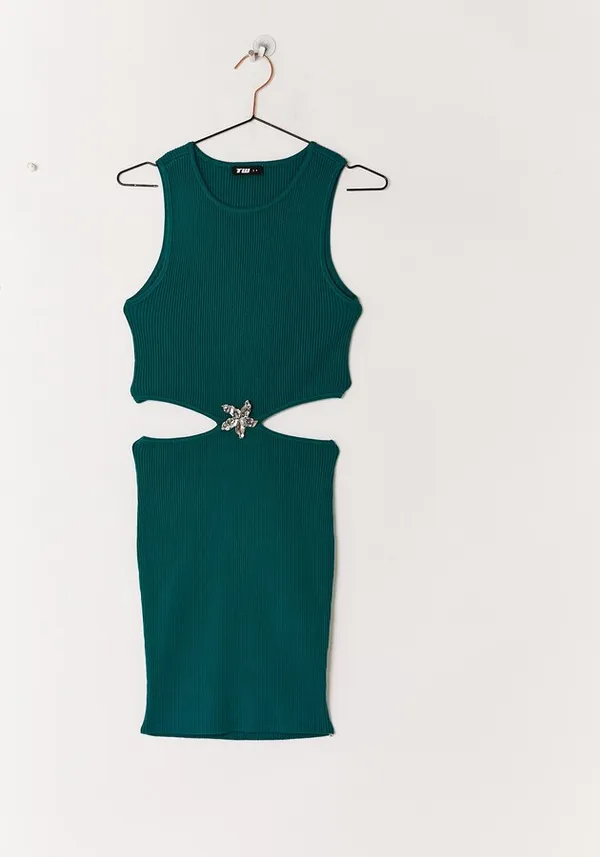
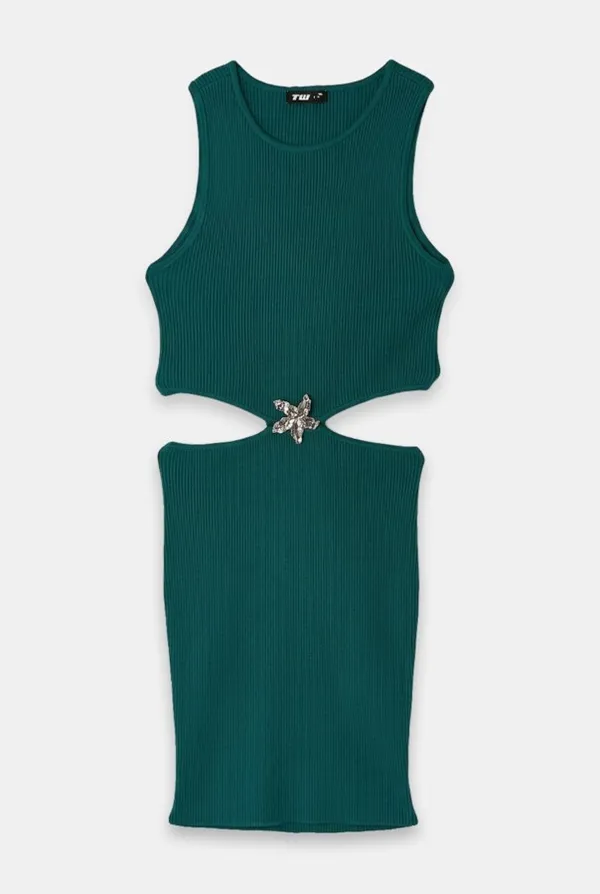 96/100
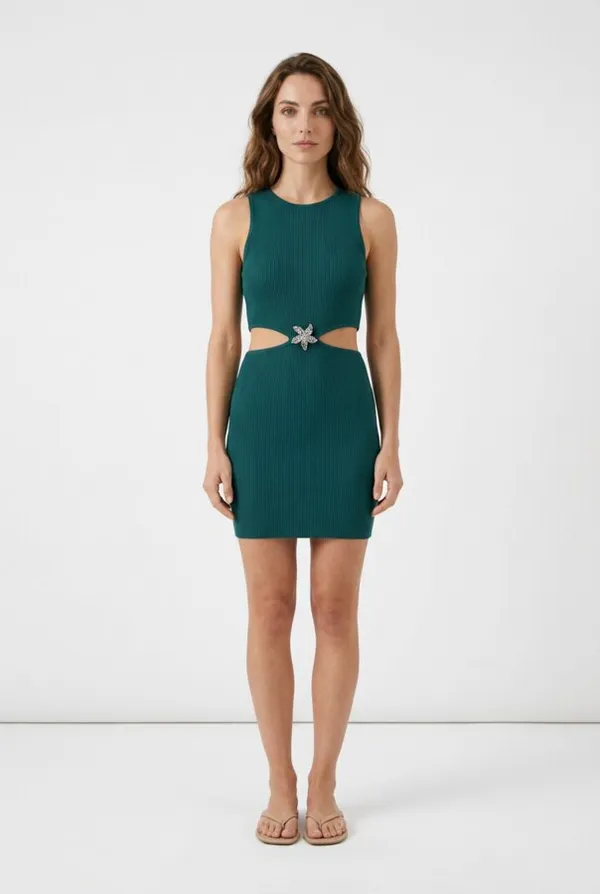 Mid-thigh
The catalog flow
Five steps, the same for one SKU or a season.
- 01Add products
Upload photos, import a feed or a Shopify store, or pick from Google Drive. Sizes become variants.
Read more - 02Set the look
A brand profile fixes backdrop, light, shadow, format and margin once, for every SKU.
Read more - 03Generate
One product from its page, or a whole collection in a batch. The cost is shown before you start.
Read more - 04Review
Every image next to its photo, scored out of 100. Approve, reject, or mark what to change.
Read more - 05Export
Only approved images leave: a ZIP with its manifest, one file per size, or Google Drive.
Read more
Validation
Validate before anything ships.
Every image is compared with your product photo and scored out of 100. Defects come with where they are and how to fix them. An image under your threshold gets one automatic fix, kept only if it is better. Then a person decides.
- Colour
- Print and logo
- Shape
- Proportions
- Edges
- Outfit
For enterprise teams
Built for production. Not for experiments.
- Approval-only exportImages waiting for review or rejected cannot be downloaded, exported or sent. Enforced on the server.
- AI Act markingEvery file carries machine-readable AI marking, article 50, and the manifest repeats it.
- Rights confirmed at importPhotos from feeds, Drive and links come in only after the rights and consent are confirmed.
- Every version keptCorrections never overwrite: each version stays with its score, and you can go back.
Your first approved image: one product, its front still life, review and download.
OpenSetting up a catalogHow the catalog worksThe five steps, the words Reica uses, and what a shot goes through.
OpenBuying for a teamTrust and complianceRights to your photos, AI Act marking on every file, privacy and deletion.
Open