History
History is your complete archive of every generation you've ever made in Reica. Find any past output, review its settings, and reuse it as the starting point for a new creation.
Generations list
The History screen shows all your past generations in a structured list — most recent first.
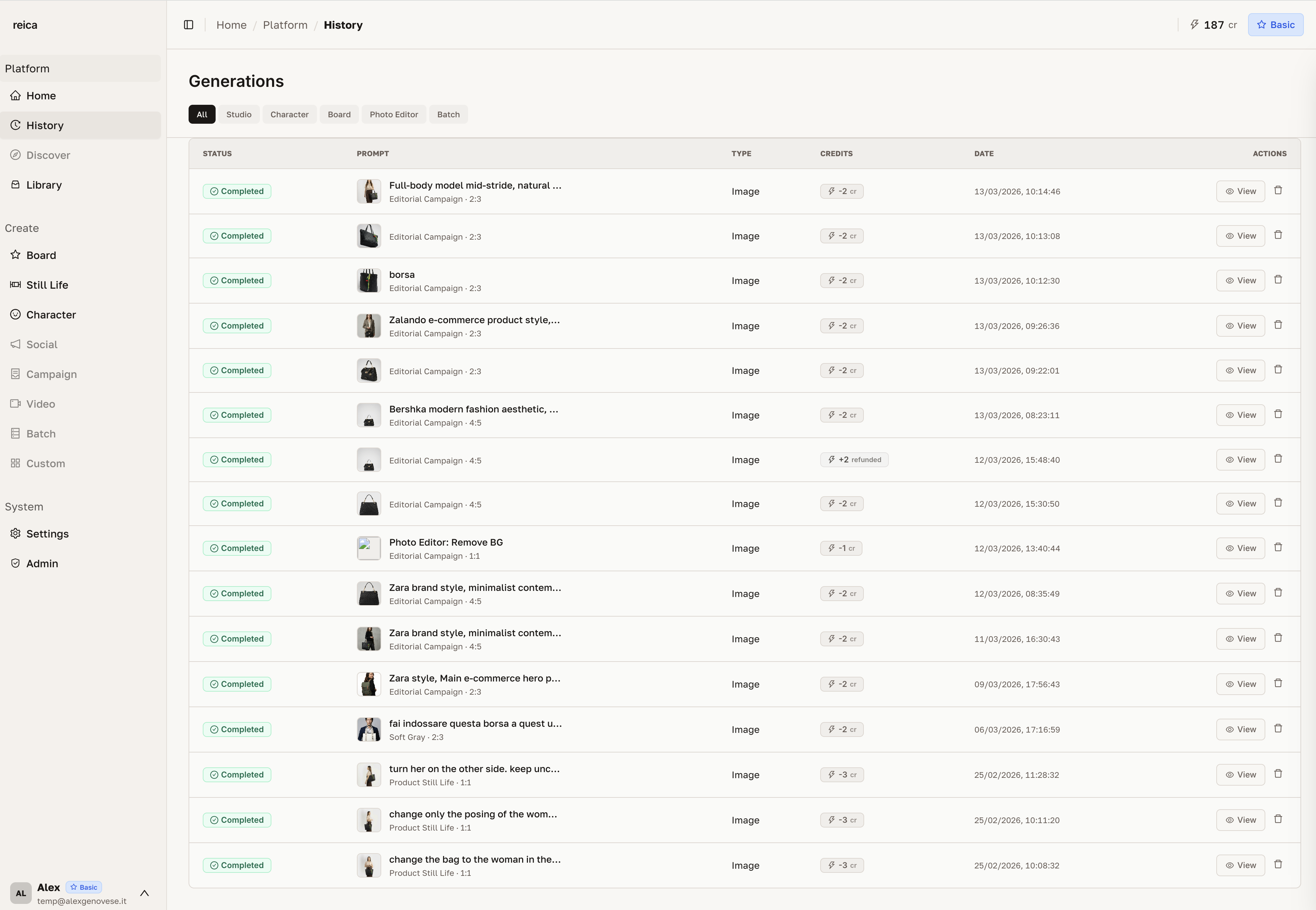
Each entry shows:
- Thumbnail of the output
- Generation mode used (Still Life, Board, Batch)
- Date and time
- Quick action buttons
Viewing full details
Click View on any generation to open the detail panel. All settings used in that generation appear on the right side of the screen.
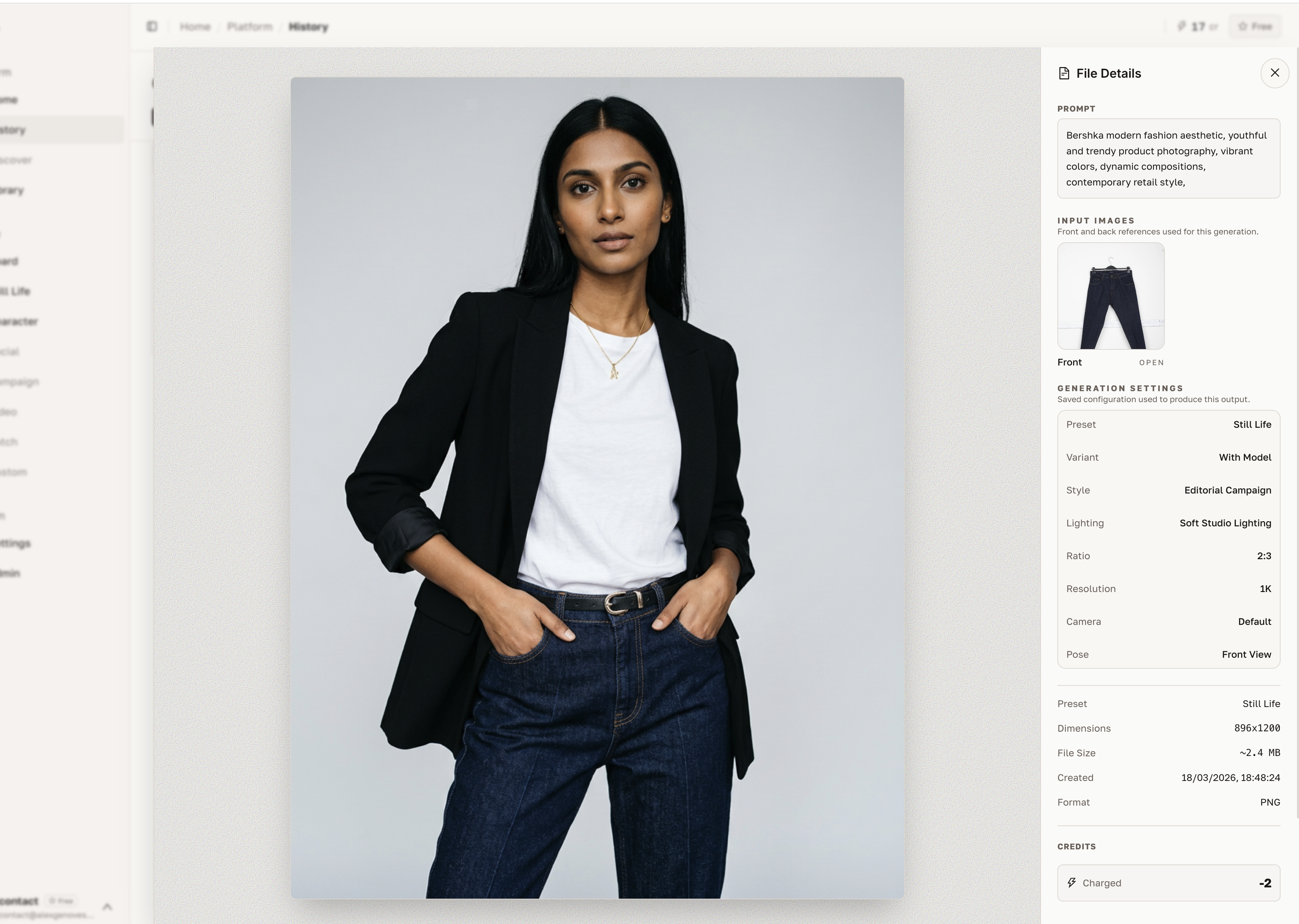
The details panel shows:
- Output image at preview resolution
- Character used (if any)
- Photographic style applied
- Output type (Ghost, Flat Lay, On-model, etc.)
- Lighting and background settings
- Aspect ratio and resolution
- Generation timestamp
This is useful for reproducing the exact same look for a new product or season.
Sidebar actions
Within the History view, the bottom of the sidebar gives you quick access to common actions.
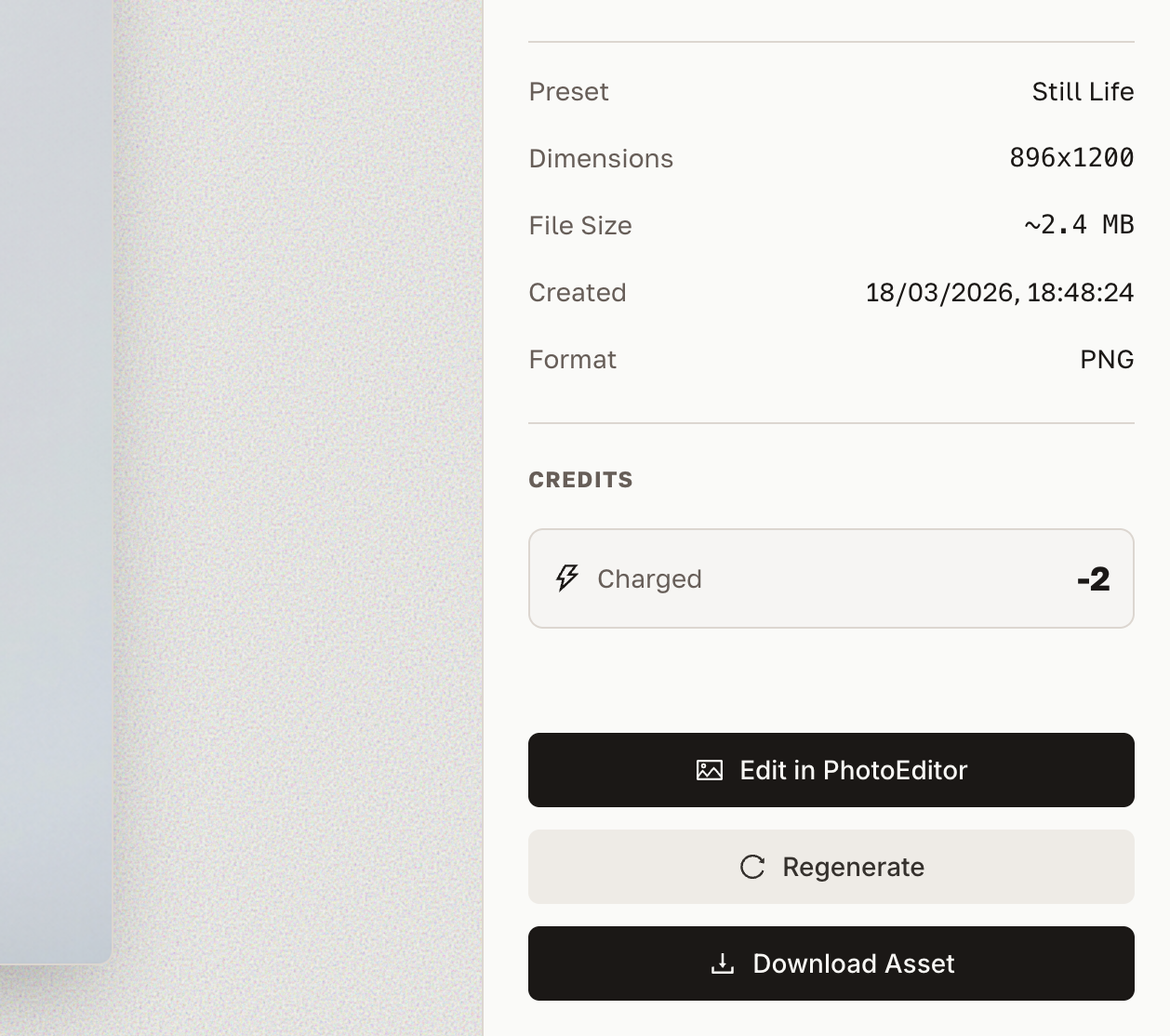
Common actions available from the sidebar:
- Download the selected generation at full resolution
- Reuse — open the generation form with all settings pre-filled
- Add to Library — save the output to a folder in your Library
- Delete — permanently remove the generation
Finding past generations
Use the filter and search options to narrow down your history:
| Filter | What it does |
|---|---|
| Generation mode | Show only Still Life, or Board, or Batch outputs |
| Date range | Filter by when the generation was created |
| Character | Show all generations using a specific character |
| Style | Show all generations with a specific photographic style |
Reproducing a past look
This is one of the most common History workflows:
- Find the past generation that had the look you want to replicate
- Click View → check all the settings on the right panel
- Click Reuse → the form opens with every setting pre-filled
- Replace only the product image (or change one variable)
- Generate — same look, new product
Related
- Library guide — organise your generated outputs into folders
- Still Life guide — learn all the settings visible in History detail panels
- Board guide — Board generations also appear in History